
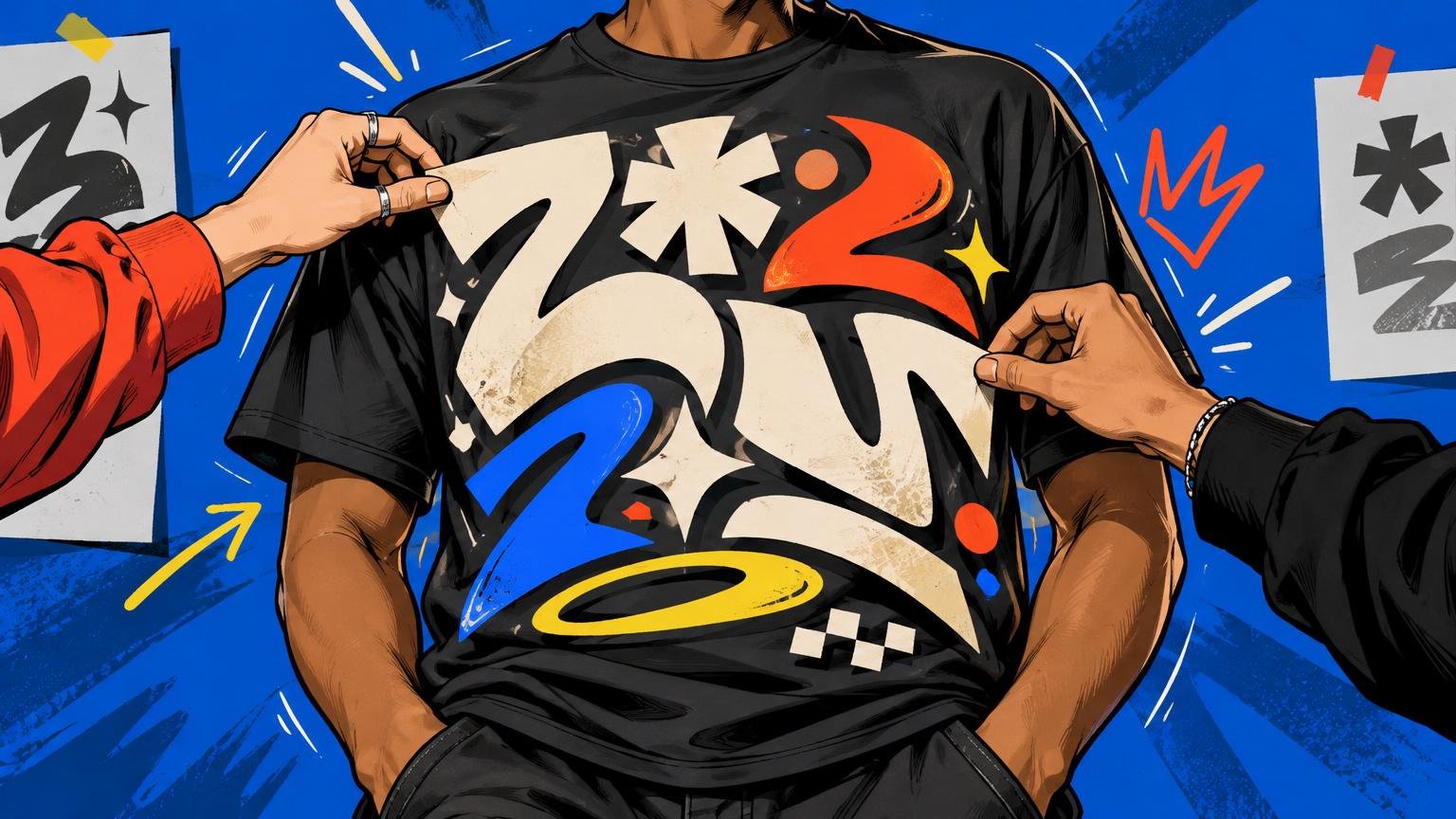
How to Make Typography Work as the Main T-Shirt Design
Typography works as the main T-shirt design when the words do more than deliver a message. They must create a silhouette, establish a reading order and hold their shape on a moving body. A clever phrase in a fashionable font is not enough. The type has to become the image.
Start by deciding what the wearer should communicate at first glance. Then build the composition at actual print size, test it on the garment and remove anything that weakens that first read. That process turns text from screen-based lettering into shirt art.
Give the phrase one clear job
A type-led shirt usually needs a dominant idea that can be understood quickly: a declaration, identity, joke, instruction or fragment of language with a deliberate mood. The longer the copy becomes, the more the design starts behaving like a poster—and the harder it is to read across folds, movement and distance.
Edit before styling. Find the word or line carrying the emotional weight, then make it dominant. Supporting text can add context, but it should not compete at the same volume. If every line is bold, uppercase and oversized, there is no hierarchy; there is only shouting.
Slogan shirts have real visual and cultural force. The V&A documents Katharine Hamnett’s 1984 “58% DON’T WANT PERSHING” shirt as an example of fashion used as a platform for political messaging. Its impact came from a direct statement delivered at unmistakable scale, not from decorative complexity. The V&A’s account of Hamnett’s slogan shirts shows how typography can make the garment itself part of the message.
Design the words as shapes
Squint at the composition until the letters become blocks rather than language. Does the design form a strong rectangle, narrow tower, arch, wedge or loose burst? Does that silhouette feel intentional? This is where a typographic shirt separates itself from a sentence typed onto a canvas.
Choose a typeface for the shapes it gives you, not merely for its genre label. A condensed face can build height without excessive width. A wide geometric face can create a blunt horizontal statement. A serif may introduce tension, authority or historical character. Mixing faces can work, but each one needs a role: voice, contrast or supporting information.
Keep the cast small. One family with contrasting weights is often stronger than four unrelated fonts competing to prove the design has personality. If you add a second face, make the difference obvious enough to look deliberate.
Fix spacing by eye, not by default
Typography becomes graphic when its internal spaces feel composed. Kerning adjusts individual letter pairs, tracking changes spacing across a selected range, and leading controls the space between lines. Adobe’s guide to character and line spacing explains these controls and their effect on readability and hierarchy.
Software defaults are a starting point. Large display type exposes awkward pairs that look harmless at paragraph size. Tight uppercase lettering may need individual corrections around diagonals and round characters. Stacked lines often need less leading than expected, but crushing them together can merge counters and destroy legibility after printing.
- Adjust difficult letter pairs individually after setting overall tracking.
- Compare the spaces between letters, not just the distances between their edges.
- Check whether stacked lines read in the intended order without explanation.
- Inspect counters—the enclosed spaces in letters such as A, B, O and P—at actual print size.
- Print a paper mockup instead of trusting a zoomed-in monitor view.
Compose for a torso, not a rectangle
The shirt is not a motionless artboard. Fabric curves over the chest, collapses between the arms and folds when the wearer sits. A phrase that depends on perfect alignment from edge to edge can become visually unstable as soon as the garment moves.
Keep essential words within a compact visual core. Full-front width can give short language authority, while a narrower center-chest block can feel more controlled. Left-chest placement usually reads as an insignia or signature rather than a dominant statement. The practical differences are explored in this guide to center-chest, left-chest and full-front placement.
Judge scale on the intended shirt, not in an isolated square mockup. A typographic block should relate to the collar, shoulder width and visible front panel. It should also retain its intended presence across garment sizes. For more on that relationship, see how graphic scale changes on an oversized T-shirt.
Make contrast part of the concept
Garment color is the largest field in the composition. White type on black feels different from the same lettering in cream on faded brown, even when both remain readable. High contrast gives language immediacy; lower contrast can feel quieter, worn-in or more integrated with the shirt.
Do not confuse subtlety with accidental disappearance. Pale artwork can recede on light fabric, while dark artwork can disappear on a dark garment. Some printing methods may use a white underbase on dark shirts, which can also influence the result. Treat the blank as an active color choice, as explained in how shirt color changes the way a graphic feels.
Remove details the print cannot carry
Fine hairlines, tiny punctuation and delicate distressing may look sophisticated at 300% zoom but fail to contribute when worn. Fabric texture can soften very small details, while extremely thin DTF elements may be more vulnerable to adhesion, peeling or cracking problems. Product-specific dimensions, safe zones and resolution requirements should decide how far you simplify.
Inspect the design at final physical size and ask whether every thin stroke is structurally necessary. Enlarge important punctuation. Open tight counters. Simplify distressed edges that turn letters into noise. Also keep critical type away from seams, pockets, zippers and heavy ribbing, which can interfere with the printed surface.
When preparing the final order, compare the printer’s template and file requirements rather than assuming every process behaves alike. Printiverse custom printing and production topics can provide a broader starting point for exploring print options, but the specifications for the exact garment and production method remain the final check.
Check the rights behind the words and fonts
A short phrase is not automatically yours to use commercially. The U.S. Copyright Office says names, titles, slogans and short phrases generally are not protected by copyright, but trademark is a separate issue. The Copyright Office’s protection FAQ explains the copyright boundary. The USPTO notes that a phrase can raise trademark questions when it identifies the source of goods, while a large slogan across the front of a shirt may be treated as ornamental rather than trademark use. Search relevant marks and get appropriate legal advice when a phrase may identify an existing brand.
Font files also come with licenses. Adobe Fonts permits fonts from its library to be used on commercial merchandise such as T-shirts, while separately installed fonts remain governed by their individual license agreements. Confirm the license for the exact font and source instead of assuming that downloading a file grants merchandise rights.
Use a three-distance test before production
Finish by reviewing the shirt at three distances. Up close, check kerning, counters, edges and print-sensitive details. At conversational distance, confirm the reading order and overall silhouette. From across a room, ask whether the dominant word and attitude still register.
If the design succeeds only up close, strengthen the hierarchy. If it reads from far away but feels generic nearby, refine the letter relationships, line breaks or secondary details. If it looks excellent on a square screen but awkward on a mockup, rebuild the shape around the torso.
The strongest typographic T-shirt is not necessarily the loudest or most elaborate. It is the one in which phrase, letterform, spacing, scale, placement and garment color deliver the same idea. Make the words readable, but make their shape worth wearing.
Frequently Asked Questions
What makes typography strong enough to carry a T-shirt design?
The phrase needs one dominant idea, a deliberate silhouette and a reading order that survives movement, folds and distance. The type must function as the image, not merely sit on the shirt.
How many fonts should a typographic shirt use?
Start with one family and contrasting weights. Add a second face only when it has a clear role and creates an obviously deliberate contrast.
Should T-shirt lettering be tightly spaced?
Only when tight spacing strengthens the shape without closing counters or merging letters. Set overall tracking first, then correct awkward pairs individually; kerning, tracking and leading control different kinds of spacing.
How should I choose the size and placement of the type?
Judge the block on the intended garment in relation to the collar, shoulders and visible front panel. Keep essential words in a compact core that remains coherent when the fabric curves or folds.
Does high contrast always make a better typographic shirt?
No. High contrast gives language immediacy, while lower contrast can feel quieter or more integrated. The design still needs enough separation from the garment color to avoid accidental disappearance.
Why should I inspect the artwork at actual print size?
Zoom can make hairlines, punctuation and distressing look more useful than they will when worn. Fabric texture can soften small details, and very thin DTF elements may be more vulnerable to production problems.
Can I print any short phrase on a shirt?
Not automatically. Short phrases generally are not protected by copyright, but trademark issues can arise when wording identifies the source of goods. Search relevant marks and seek appropriate legal advice when the phrase may identify an existing brand.
Can any downloaded font be used on merchandise?
No. Usage depends on the font license. Adobe Fonts permits commercial merchandise use for fonts in its library, while separately installed fonts remain subject to their individual license agreements.
References
- ClubtoCatwalk press release
- Adjust line and character spacing in Illustrator | Illustrator
- How should I prepare my print file for the best results? – Printful Help Center
- Create the perfect DTG file | Printful
- What Does Copyright Protect? (FAQ) | U.S. Copyright Office
- "Ornamental" Refusal and How to Overcome This Refusal | USPTO
- Frequently asked questions about font licensing for web and desktop | Adobe Fonts